
Table of Contents
Use this feature to quickly select the most cost-effective carrier rate for multiple shipments at once, while ensuring the chosen rate does not exceed your defined maximum price.
How It Works #
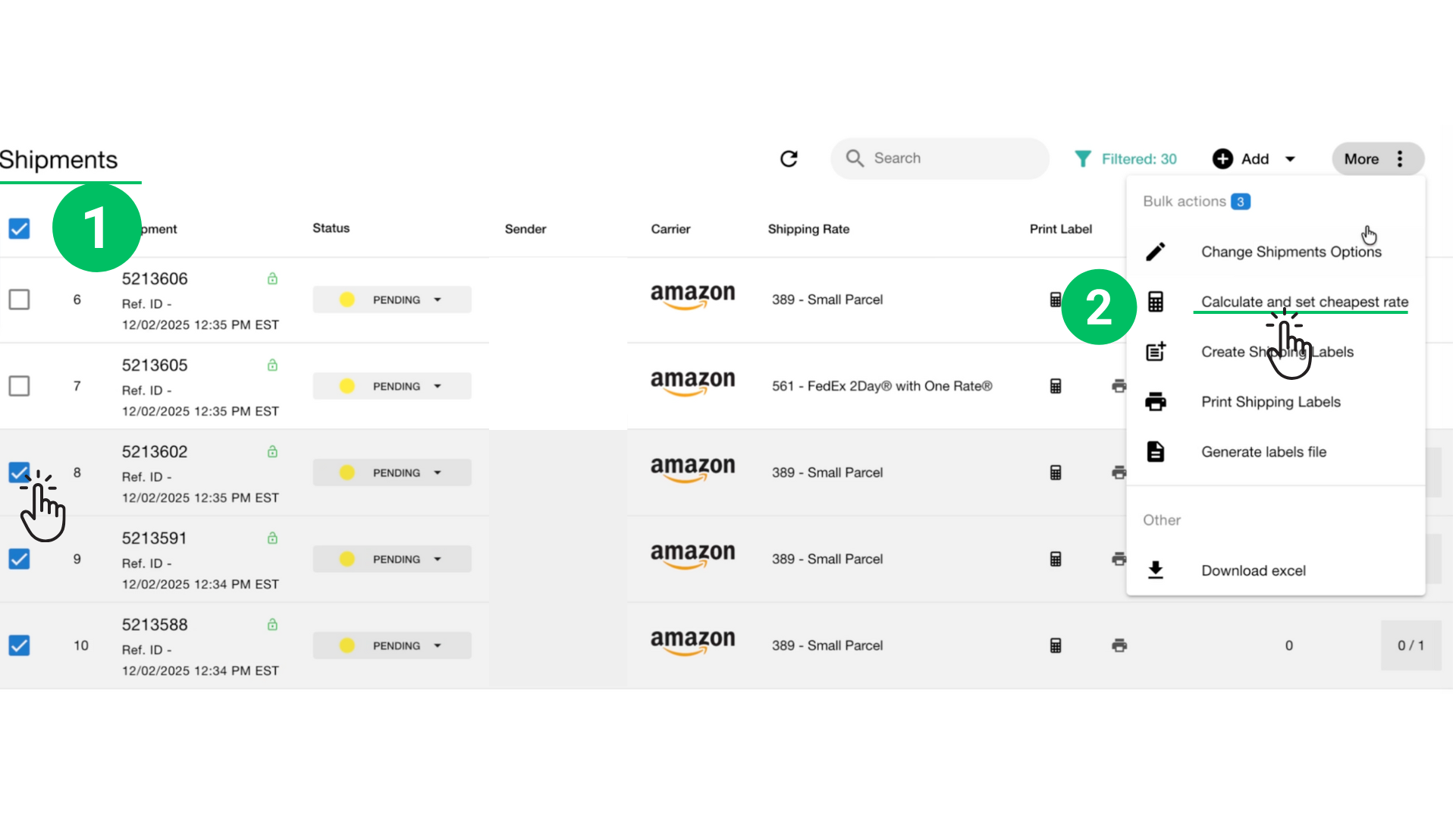
- Select the shipments you want to process in the Shipments table.
- Click More → Calculate and Set Cheapest Rate.
- The list of selected shipment IDs
- Optional package dimensions and weight fields
- A Threshold (maximum price) field
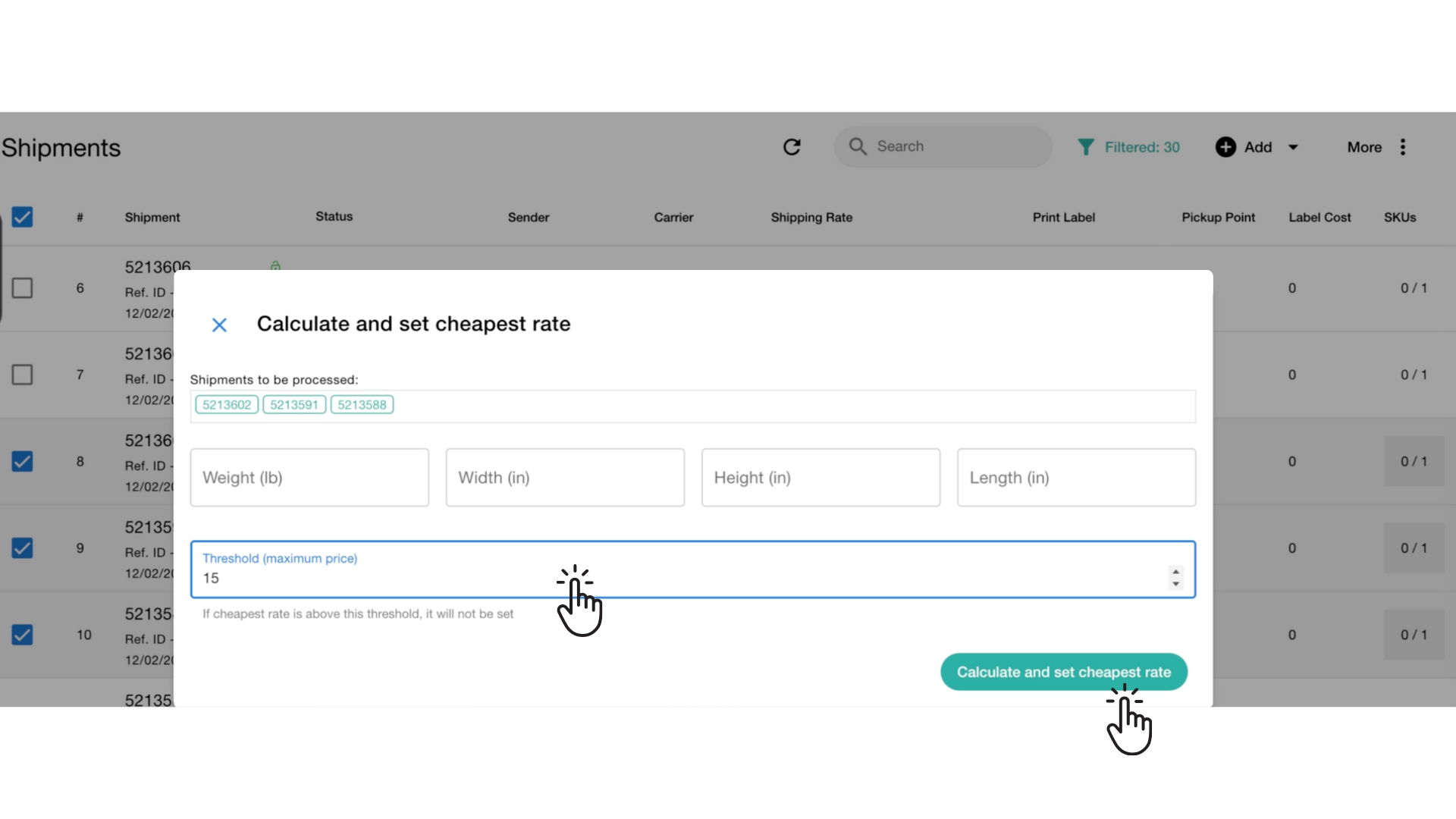
- A dialog will open showing:
- The list of selected shipment IDs
- Optional package dimensions and weight fields
- A Threshold (maximum price) field
- Enter the maximum price you are willing to pay for a shipping label.
- If the cheapest available rate from the carrier is higher than this threshold, the system will not apply that rate for that shipment.
- If the cheapest rate is within the threshold, it will be assigned automatically.
- Click Calculate and Set Cheapest Rate to run the process.
What the System Does #
For each selected shipment, the system will:
- Request available rates from the carrier
- Compare all available services
- Identify the lowest-price option
- Check whether the rate is below or equal to your threshold
- Apply the rate to the shipment when allowed
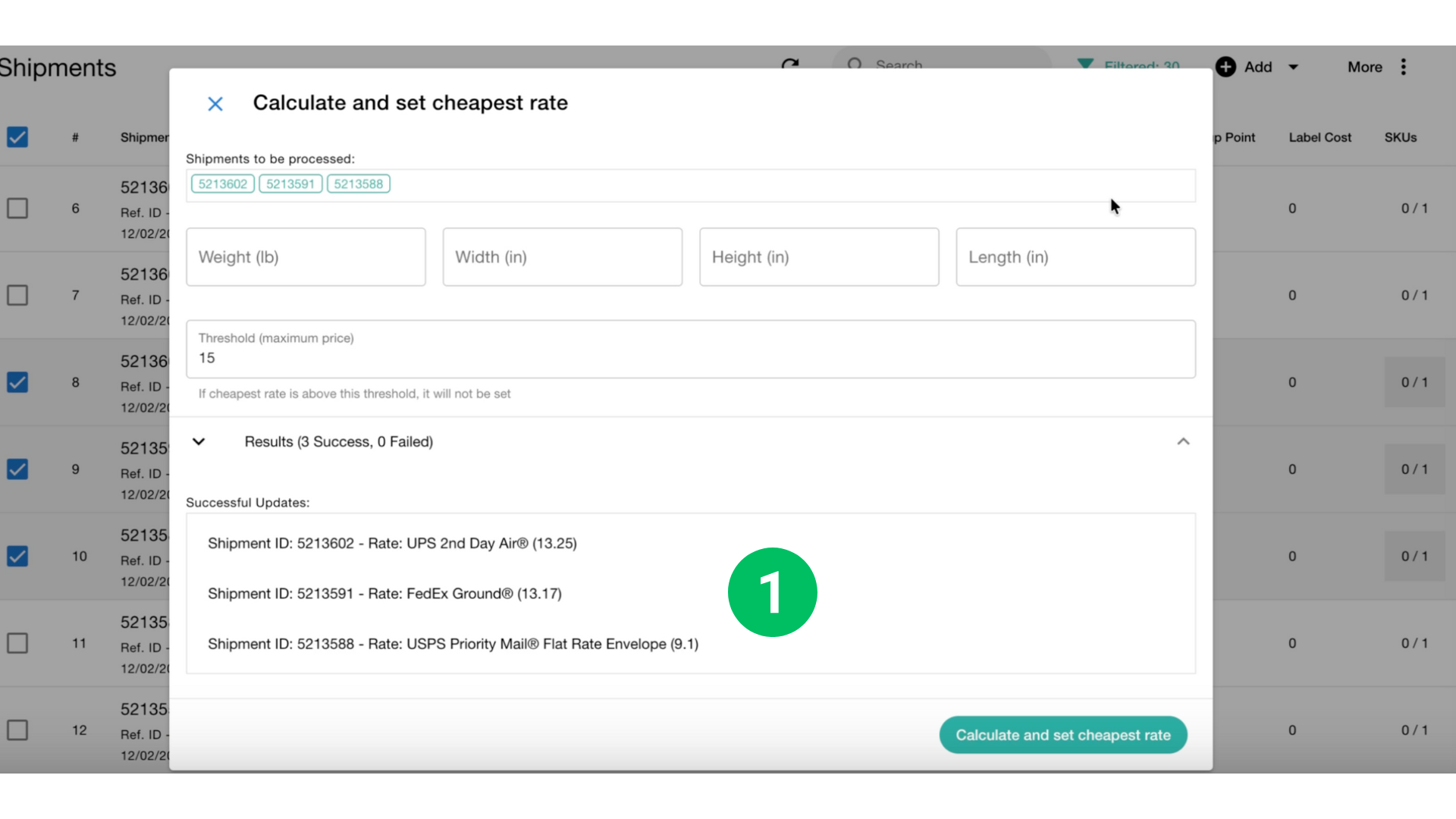
When the updates are complete, the dialog displays:
- Successful Updates — shipments where a valid rate was applied
- Skipped Shipments — if no eligible rate met your maximum price
- The rate name and cost assigned to each shipment
This lets you review the results immediately without closing the dialog.
Example #
If you set a maximum price of $15, and rates returned are:
- UPS 2-Day Air: $13.25
- FedEx Ground: $13.17
- USPS Flat Rate: $9.10
All of them are within the threshold, so they will be applied automatically.
If a shipment only has rates above $15, it will be skipped.
Notes #
- The threshold applies individually to each shipment.
- This feature only sets the rate — you can generate labels later.
- Use this tool to reduce costs and automate decision-making for high-volume shipping.


