
Table of Contents
The Daily Storage by Location report allows you to review item quantities, storage locations, volumes, and values for a selected date and warehouse. This report is useful for storage billing, auditing, and daily warehouse review.
Follow the steps below to open it.
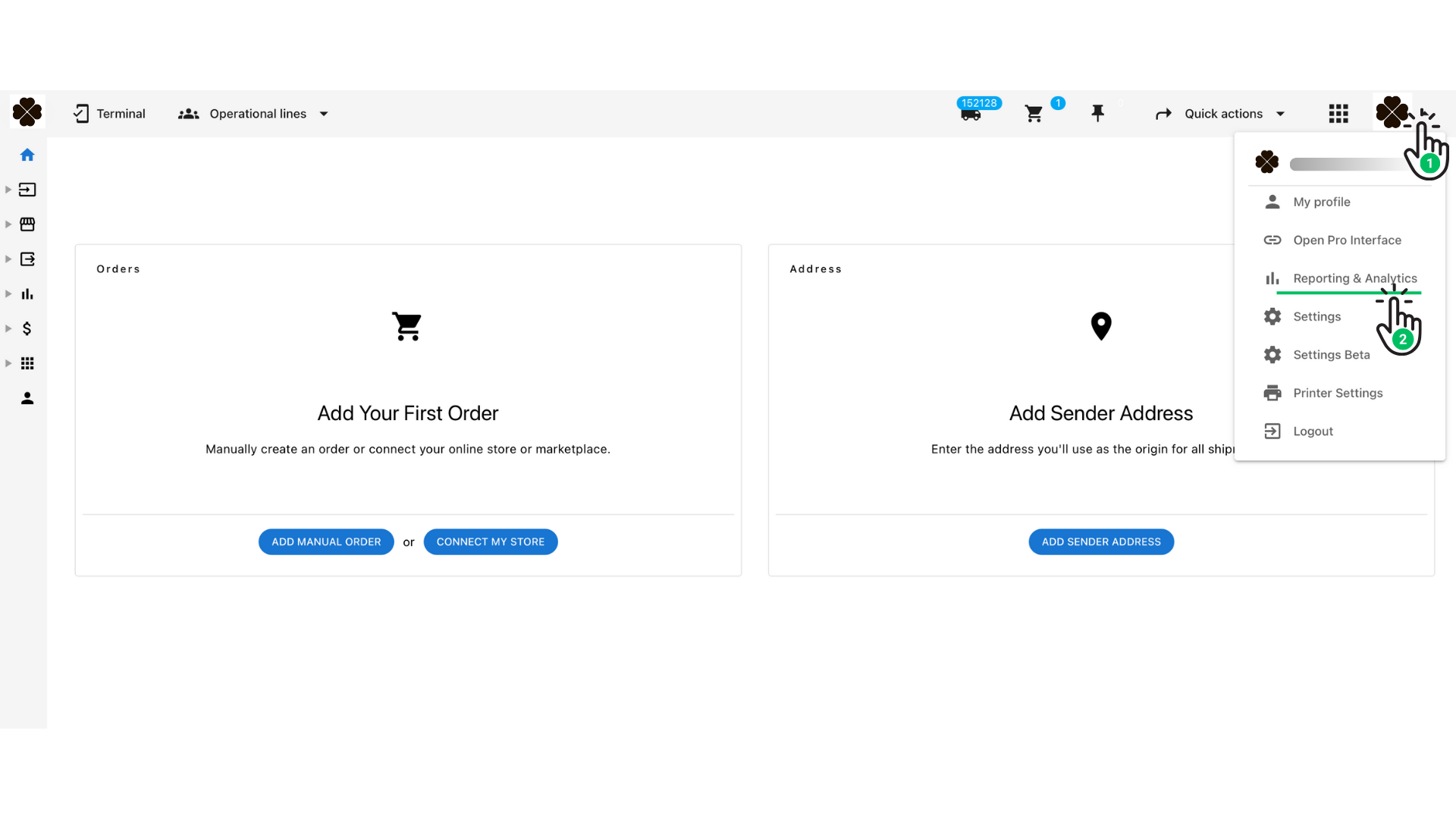
Step 1 — Open the Reporting & Analytics Section #
- Click your profile icon in the top-right corner of the interface.
- From the menu, select Reporting & Analytics.
Step 2 — Navigate to the Storage Reports #
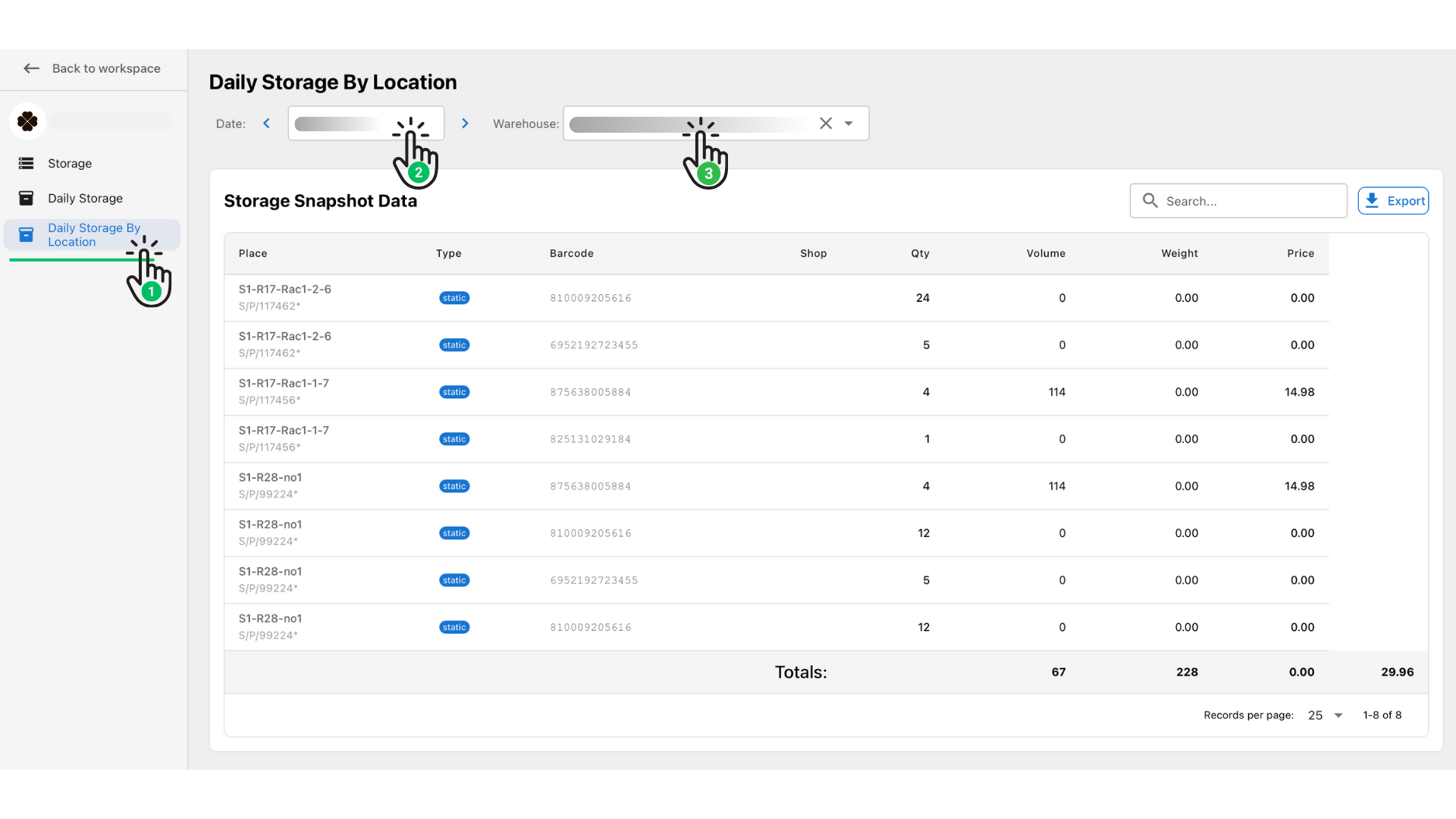
- In the left-hand menu, open the Storage section.
- Click Daily Storage by Location.
This will open the main report screen.
Step 3 — Choose Date and Warehouse #
At the top of the page:
- Select the Date you want to review.
- Choose the Warehouse from the dropdown list.
The report table will automatically update.
What the Report Shows #
The Storage Snapshot Data table includes:
- Place – storage location (shelf, rack, bin)
- Type – location type (static, dynamic, etc.)
- Barcode – internal identifier
- Shop – merchant/shop ID
- Qty – items stored in the place
- Volume – occupied space
- Weight – total weight of stored items
- Price – storage cost (if applicable)
A Totals row appears at the bottom, summarizing all displayed data.
Exporting the Report #
Click Export (top-right of the table) to download the report for offline use or billing.


