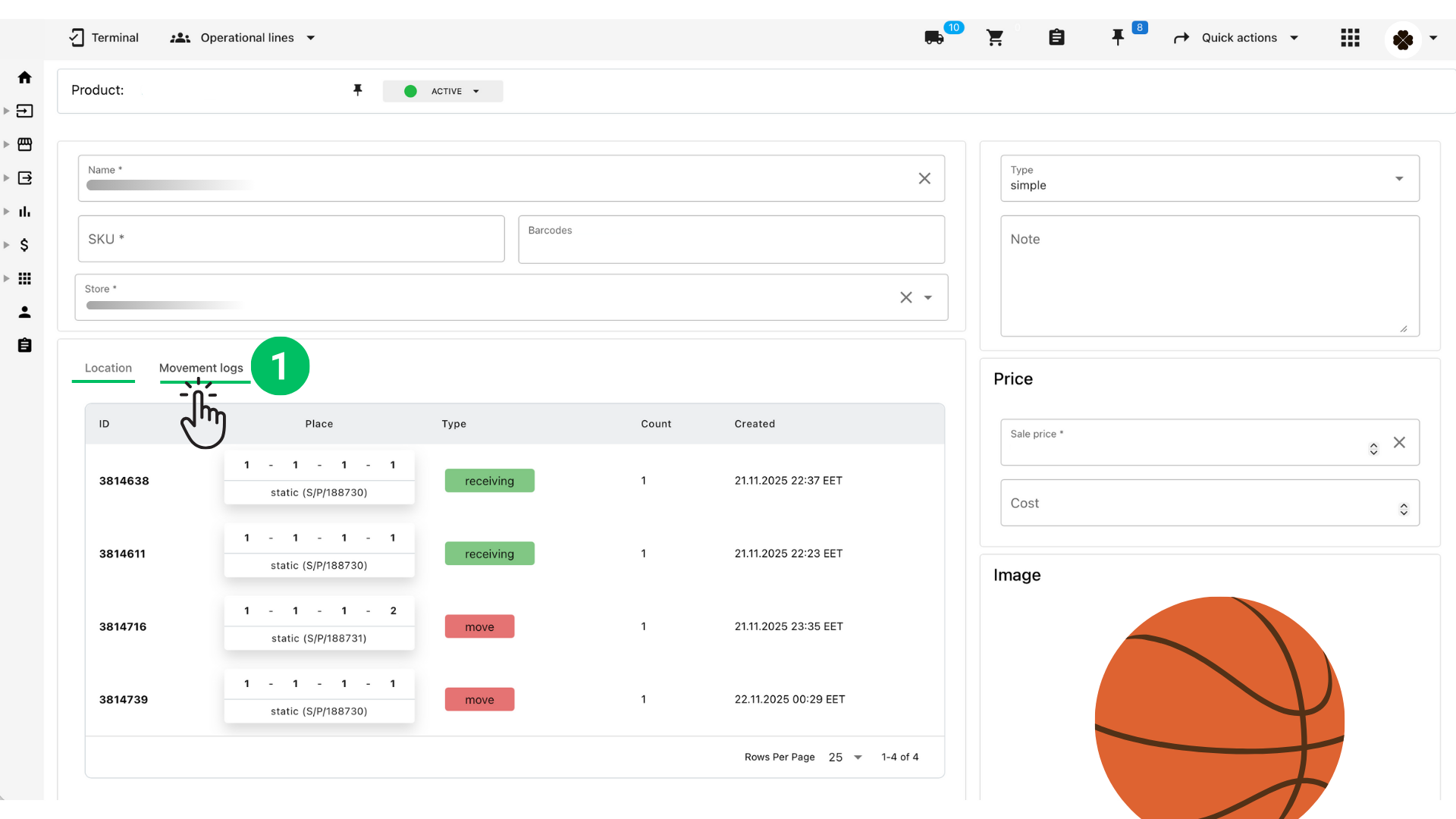
Sometimes you may need to correct the stock count of a product that is already stored in a specific bin.
This can happen after recounting, moving items, or fixing mistaken receiving.
Octava allows you to quickly adjust or move inventory directly from the product page.
1. Open the Product Page #
1. Navigate to Inventory → Products.
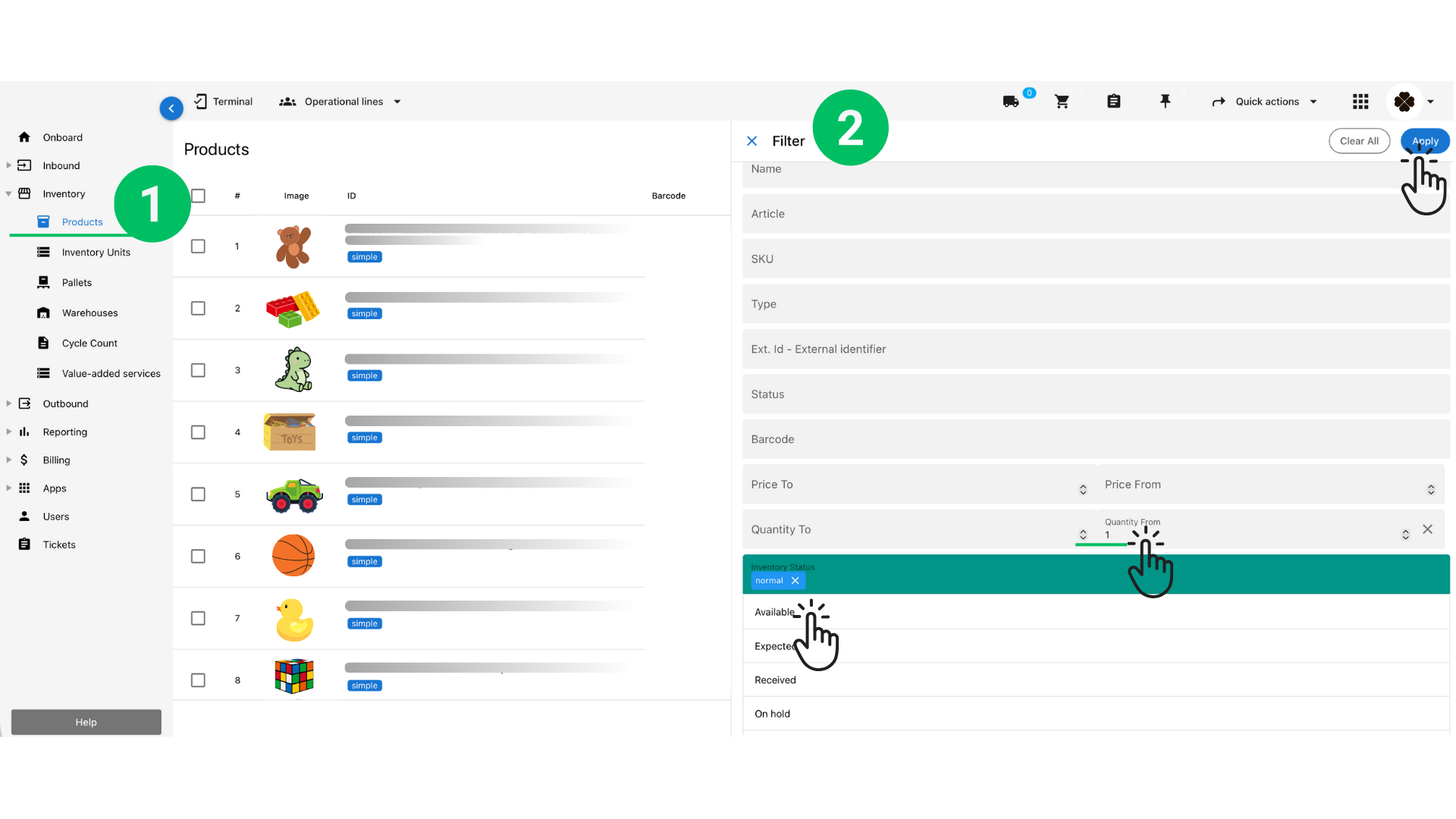
2. Click on the product you want to adjust.
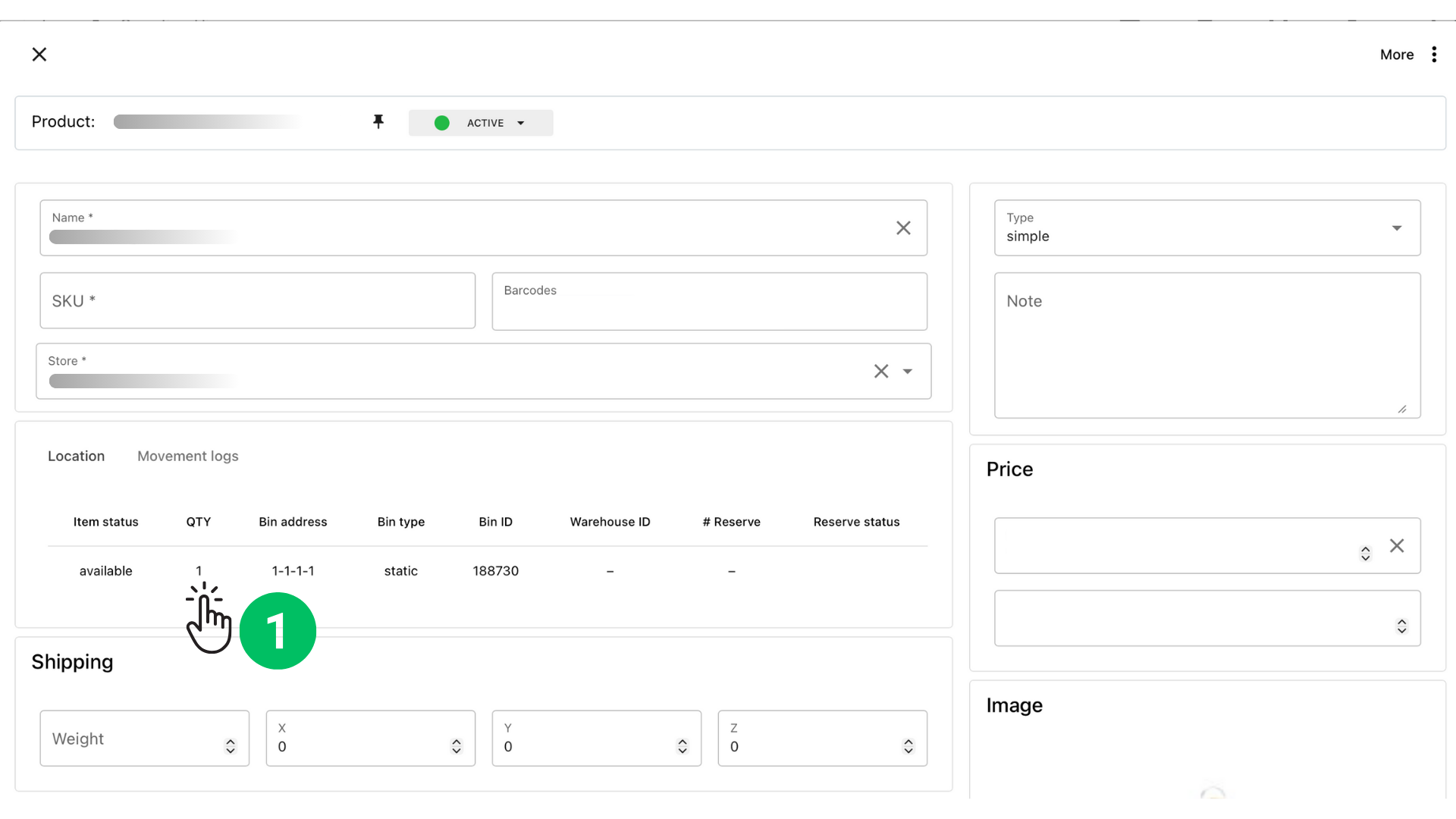
3. Scroll to the Location tab — you will see a list of all bins where this product is allocated.
Each row represents a specific bin with the current available quantity.
2. Select the Bin to Adjust #
In the Location section, find the row showing the quantity you want to correct.
Click on the quantity number.
This will open the Adjust or Move Quantity dialog.
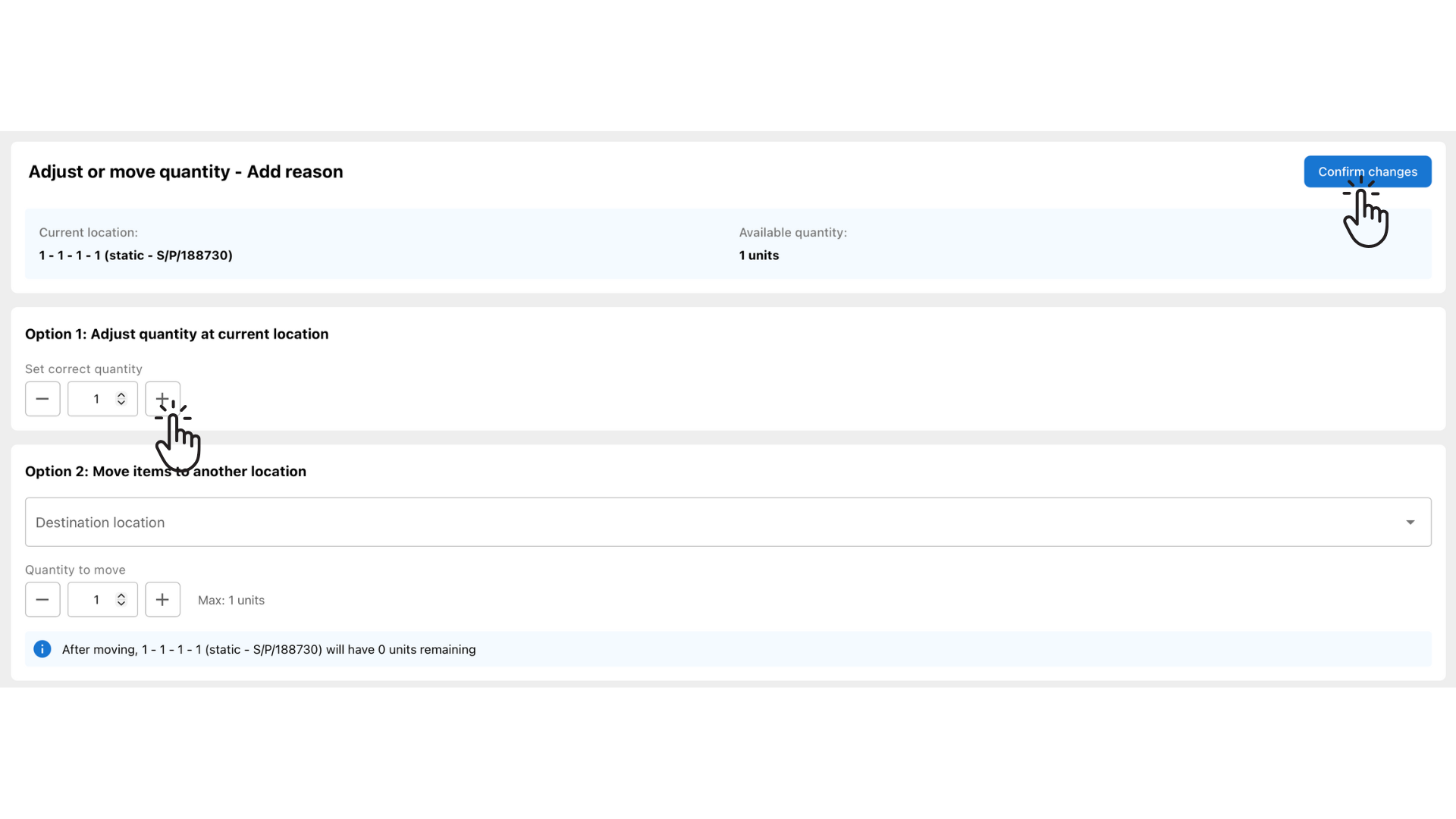
3. Option 1 — Adjust Quantity at the Current Location #
Use this option if the product should stay in the same bin but the count is wrong.
1. Under Option 1, set the correct quantity using + / – buttons.
2. Verify the new amount.
3. Click Confirm changes in the top right corner.
4. Option 2 — Move Items to Another Location #
Use this option if the item is in the wrong bin and you want to transfer it.
1. Choose a Destination location from the dropdown.
2. Enter how many units you want to move.
3. Confirm the message showing how many units will remain in the source bin.
4. Click Confirm changes.
5. Confirmation and movement logs #
Once the changes are saved:
• The product page updates the bin quantities instantly.
• All changes appear in the Movement logs tab for full traceability.